
Icophony
eye-kof-uh-nee
/ɪˈkɑːfəni/
A cacophony of icons. Your personal icon library for macOS.
Download on the Mac App StoreRequires macOS 15 Sequoia or later
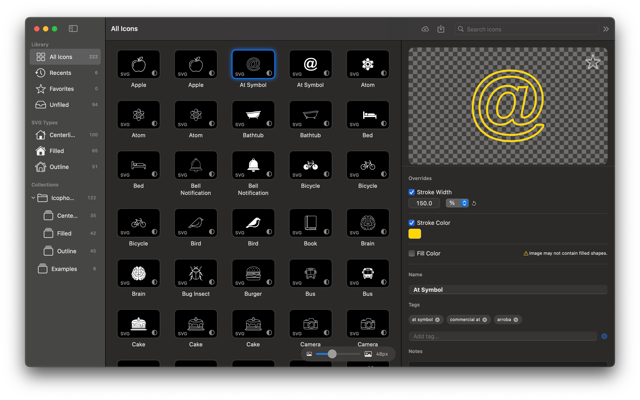
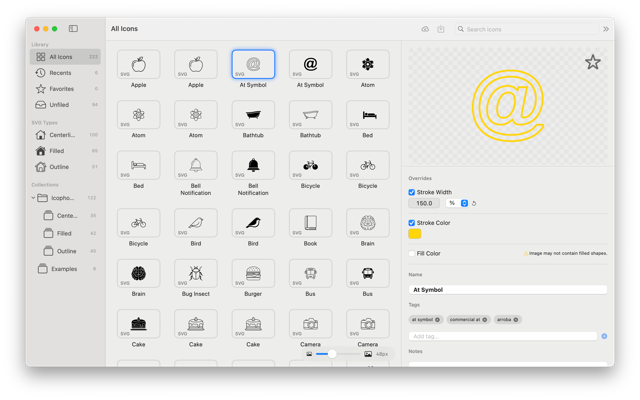
Organize Every Icon You Own#
Icophony is a native macOS app for designers, developers, and anyone who works with icons. Import your entire icon library once — then browse, search, tag, and export exactly what you need, whenever you need it.
Features#
Flexible Organization#
Build a hierarchy that matches how you think. Create Groups to hold related Collections, nest groups as deep as you like, and let Icophony’s smart folders surface your Favorites and Unfiled icons automatically.
Broad Format Support#
Icophony handles the formats you actually use: SVG, PNG, GIF, PDF, ICNS, WebP, ICO, and JPEG — all stored and previewed natively, with no conversion required.
SVG Override Controls#
Tweak any SVG icon’s stroke width, stroke color, and fill color directly in the inspector — without touching the source file. Overrides are non-destructive and apply instantly. Export with overrides baked in when you’re ready.
IconJar Compatible#
Import your existing .iconjar collections in seconds. Export back to IconJar format any time, so your library stays portable.
Backup & Restore#
Export a full, compressed backup of your entire library — every icon, every collection, every tag — into a single .icophony file. Restore it instantly on any Mac.
License Tracking#
Attach license information to collections or individual icons. Know exactly what attribution you need, right inside your library.
Drag & Drop Everywhere#
Drag icons directly from Icophony into Xcode, Sketch, Figma, or any other app. SVG overrides are baked into the dragged file automatically.
Tags, Notes, and URLs#
Each icon carries its own metadata: tags for quick filtering, notes for context, and a URL field to link back to the original source.
Get Started#
New to Icophony? Start with the Getting Started guide to import your first icons and get oriented.
Looking for something specific? Browse the full documentation.